

This guide shows how to install the Iptanus File Upload plugin and start using it. If the plugin is already installed, go straight to step 2.
Step 1 — installing the free version
- Install it as you would any other plugin. Go to Dashboard → Plugins → Add New and type “Iptanus File Upload” in the search box. It appears as the first result. Press Install Now.
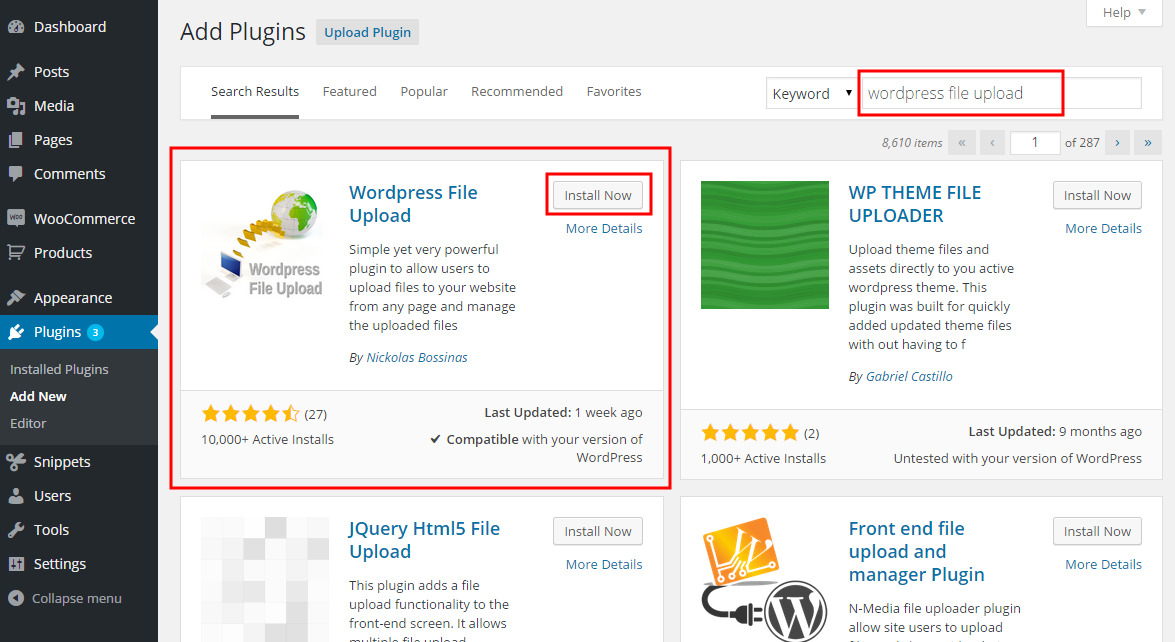
- When the installation finishes, press the Activate link.
- You can also install from a .zip file instead, using the Upload Plugin option shown in the image above.
Step 1 — installing the Pro version
- The Pro version is installed only from the .zip file you received when you bought the plugin. Go to Dashboard → Plugins → Add New and press the Upload Plugin button at the top of the screen, as shown in the image above.
- Choose the file from your computer and press Install Now.
- When the installation finishes, press the Activate link.
Step 2 — adding the plugin to a page or post
This step is the same for the free and the Pro version.
- Go to Dashboard → Settings → Iptanus File Upload. At the bottom of the screen is the Plugin Instances table. Press Add Plugin Instance:

- Choose the page or post from the dropdown and press OK.
- The plugin now appears in the Plugin Instances table.
Then follow this guide to configure the plugin with its visual editor.
If you have any further questions, please contact us.
The Iptanus team
hello, i have a few questions as below:
– How to upload to zip format, rar and some new formats such as .McPack, .Js ..etc
– Can Hackers hack my site through upload virus on the website? If so, how to avoid this.
– If I buy a paid version, can i request some minor functionality?
– How to share the download link directly.
– Is there a way to avoid stealing bandwidth for direct download links? For example: Check reffer or automatically add hash at the end of direct download link when users click on download link and link down with this code will not exist long …
I am very interested in this plugin and would like to hear from you.
Hi, in order to allow zip and rar files you need to set Allowed File Extensions in the shortcode like this: *.*, *.zip, *.rar
You can do the same for other file types as well, but please first read this article.
Regarding security, the plugin does not scan the files, however it has a lot of features that ensure that hackers will not manage to upload malicious files. It is strongly recommended to define a whitelist of allowed extensions in your upload form, instead of the generic pattern *.* (although even the generic pattern will not allow all files). You can read more details about the plugin’s security here.
Regarding the download link, it is an interesting feature. I will put it in the next release with several options for the admins.
Regards
Nickolas
Hi, I use pro version
my question:
how to seperate upload and display in each post or pages
now my display upload
is same all pages/or post
Hi, how is the shortcode right now?
Regards
Nickolas
Quick Question: To update from one version to next version, do I simply upload the new files over top of the old ones via FTP, or should I deactivate and delete prior version and then upload new version? I could not find your recommended update process in your instructions. Great plugin, I have the Pro version, will try the 4.9.0 version for Google drive upload, too.
Hi, the plugin has auto-update feature, so you can just update from Plugins section easily. However, if you had an old version (prior to 4.0.0) then auto-update would not work. In this case you need to deactivate, then delete the old version and then install the new one from the zip file. Please note that your settings will not be lost.
Regards
Nickolas