

The Iptanus File Upload plugin can put a captcha on your upload form, so that robots cannot use it to upload files unattended.
Which captcha the plugin uses
It uses Google reCAPTCHA, in both the older and the newer version:
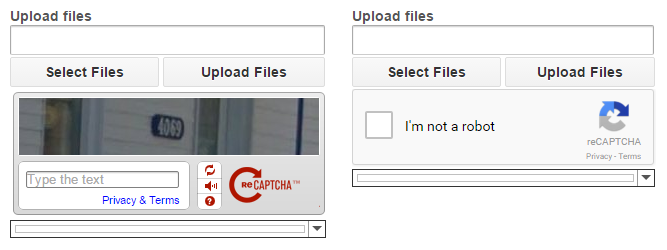
To show one, edit the shortcode with the Shortcode Composer, switch on Include Captcha and pick a type from the list:

The four captcha types
- RecaptchaV1 — reCAPTCHA version 1. Google retired this version in 2018, so choose it only if you have a particular reason to.
- RecaptchaV1 (no account) — the same version, without keys of your own.
- RecaptchaV2 — reCAPTCHA version 2, the one to use.
- RecaptchaV2 (no account) — version 2, without keys of your own.
With your own keys
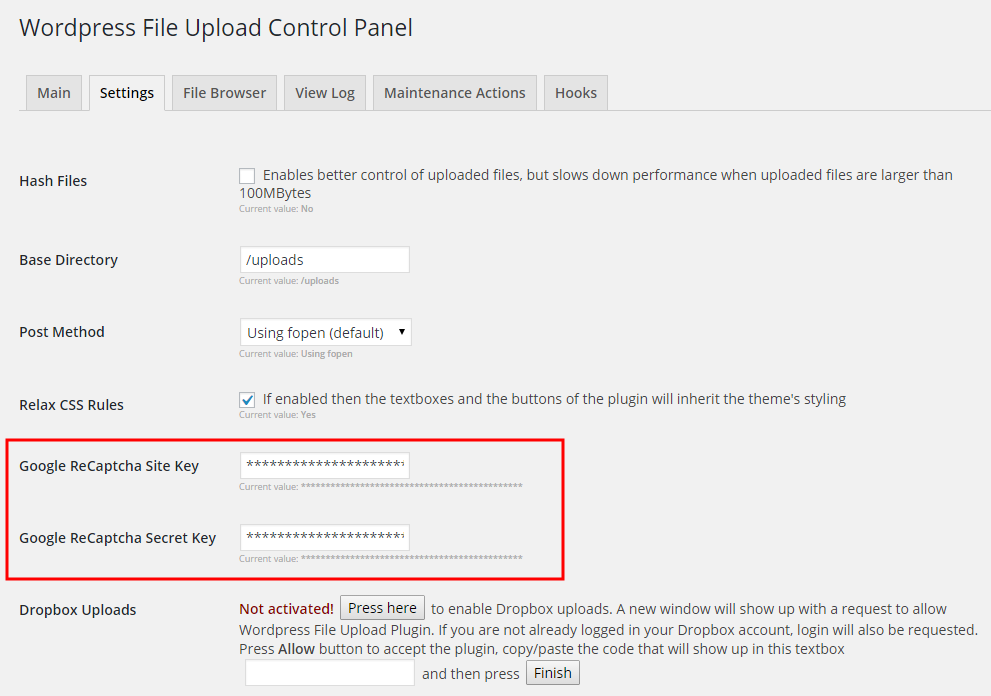
Choosing RecaptchaV1 or RecaptchaV2 means supplying your own reCAPTCHA keys. Get them from Google’s reCAPTCHA site with your Google account, and enter them in the plugin’s settings:
Without keys
The two (no account) options generate the captcha on Iptanus’s own servers, so no keys are needed. They are the answer if you have no Google account, or if you want more than one captcha on the same page — something reCAPTCHA v1 cannot otherwise do. If you are curious how it works, we have written up the whole procedure.
For more information or questions, please contact us.
The Iptanus team
This is a great plugin and thank you for helping us out.
The captcha option doesn’t appear in the Shortcode composer.
Is there a reason why?
Where can we find it?
Thanks,
Kris.
you have the free or Pro version?
Free. I guess it’s only available on paid.
Yes captcha feature is available in the Pro version
hello, so I added the site key to the settings, and I added the button in the instance placement section, but the page loads without displaying the captcha. what am I missing?
Did you activate captcha in the shortcode?
Regards
Nickolas
I forgot to mention, I do have the pro version