

The Iptanus File Upload plugin carries a visual editor called the Shortcode Composer. It lets you configure an upload form without writing shortcodes by hand — which matters, because the plugin has more than fifty options.
Once the plugin is installed and added to a page or post, as described in the getting started guide, there are two ways to open the composer for that upload form.
From the Dashboard
- Go to Dashboard → Settings → Iptanus File Upload.
- Find the Plugin Instances table, which lists the upload form you added:

- Click Plugin 1 to open the Shortcode Composer.
- The composer groups the options into tabs. Some are simply on or off; others take text, a choice from a list, a colour, and so on. The shortcode itself is shown at the top of the page and updates as you go:
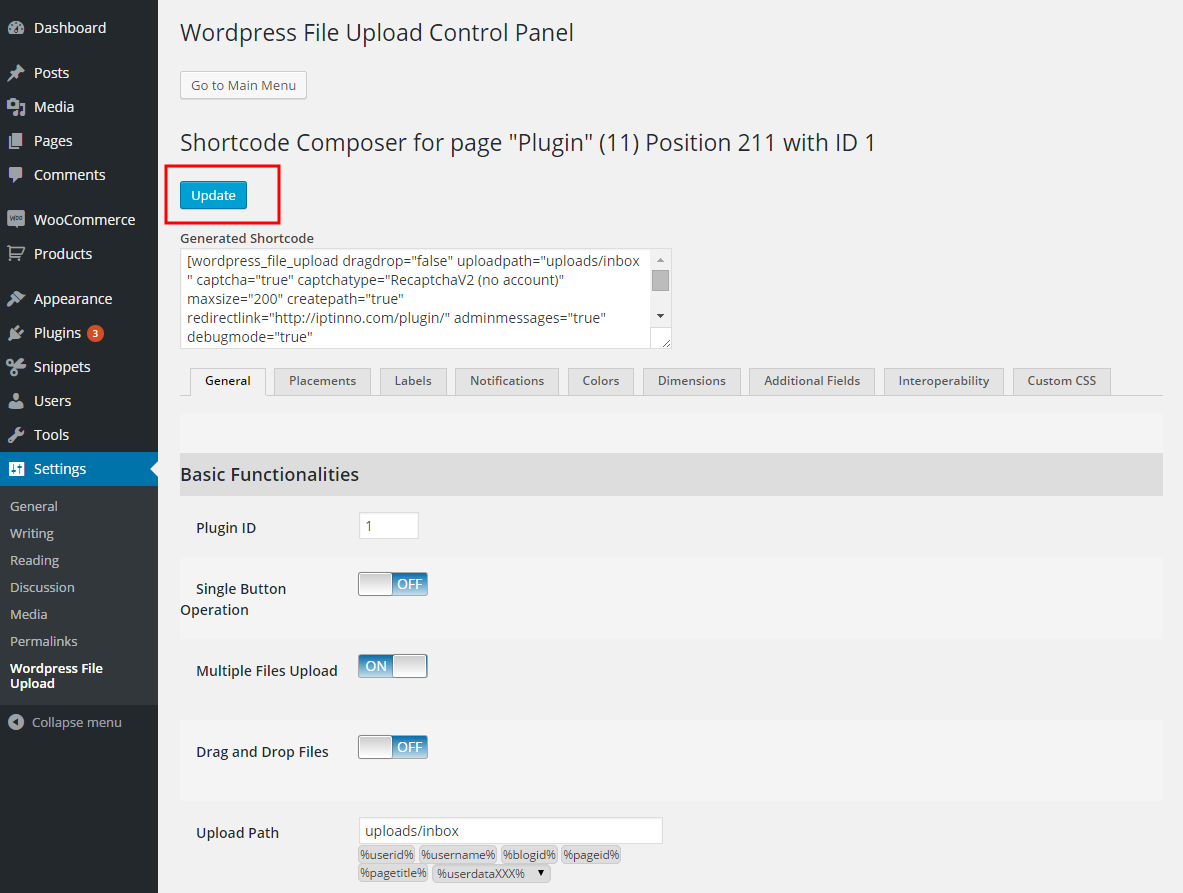
- Press Update. Nothing is applied to the upload form until you do.
From the page or post
- Open the page or post holding the upload form in your browser.
- Hover over the form. A yellow pencil appears in its top-left corner:
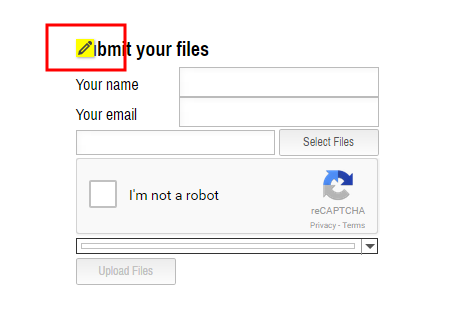
- Click the pencil. The Shortcode Composer opens in a new tab or window — if nothing happens, allow pop-ups for the site in your browser.
- Make your changes and press Update. The page holding the form reloads to show them.
- Carry on editing, or close the composer.
If you have further questions, please contact us.
The Iptanus team
I can’t upload any files on this page:
https://bauglueck.com/anfrage_vertragspruefung/
Where ist the trick? We have the Pro-Version.
Hi, I just checked. The problem is related to session. Are you using any cache plugins?
Nickolas
Not that I would know.
We use:
BJ Lazy Load
Bloom
Contact Form 7
Divi Builder
Divi Extended Column Layouts
Duplicate Post
Elegant Themes Support
Google Analytics for WordPress by MonsterInsights
Icegram – Popups, Optins, CTAs & lot more…
Monarch Plugin
Post Types Order
Social Share Buttons by Supsystic
SSL Insecure Content Fixer
UpdraftPlus – Backup/Restore
Wordpress File Upload Pro
wp-Typography
That’s it.
Can you please ask your host if they have changed anything in security settings? Do you use Cloudfare?
Nickolas
Hi,
is there a way to deactivate the inline editor. It is great for admin staff, but I don’t want my website users to make any changes
Thanks in advance for a reply
Hi, if you are referring to the visual editor of the shortcode, it is only visible to admins, no other users.
Regards
Nickolas