

The Iptanus File Upload plugin carries a visual editor called the Shortcode Composer. It lets you configure an upload form without writing shortcodes by hand — which matters, because the plugin has more than fifty options.
Once the plugin is installed and added to a page or post, as described in the getting started guide, there are two ways to open the composer for that upload form.
From the Dashboard
- Go to Dashboard → Settings → Iptanus File Upload.
- Find the Plugin Instances table, which lists the upload form you added:

- Click Plugin 1 to open the Shortcode Composer.
- The composer groups the options into tabs. Some are simply on or off; others take text, a choice from a list, a colour, and so on. The shortcode itself is shown at the top of the page and updates as you go:
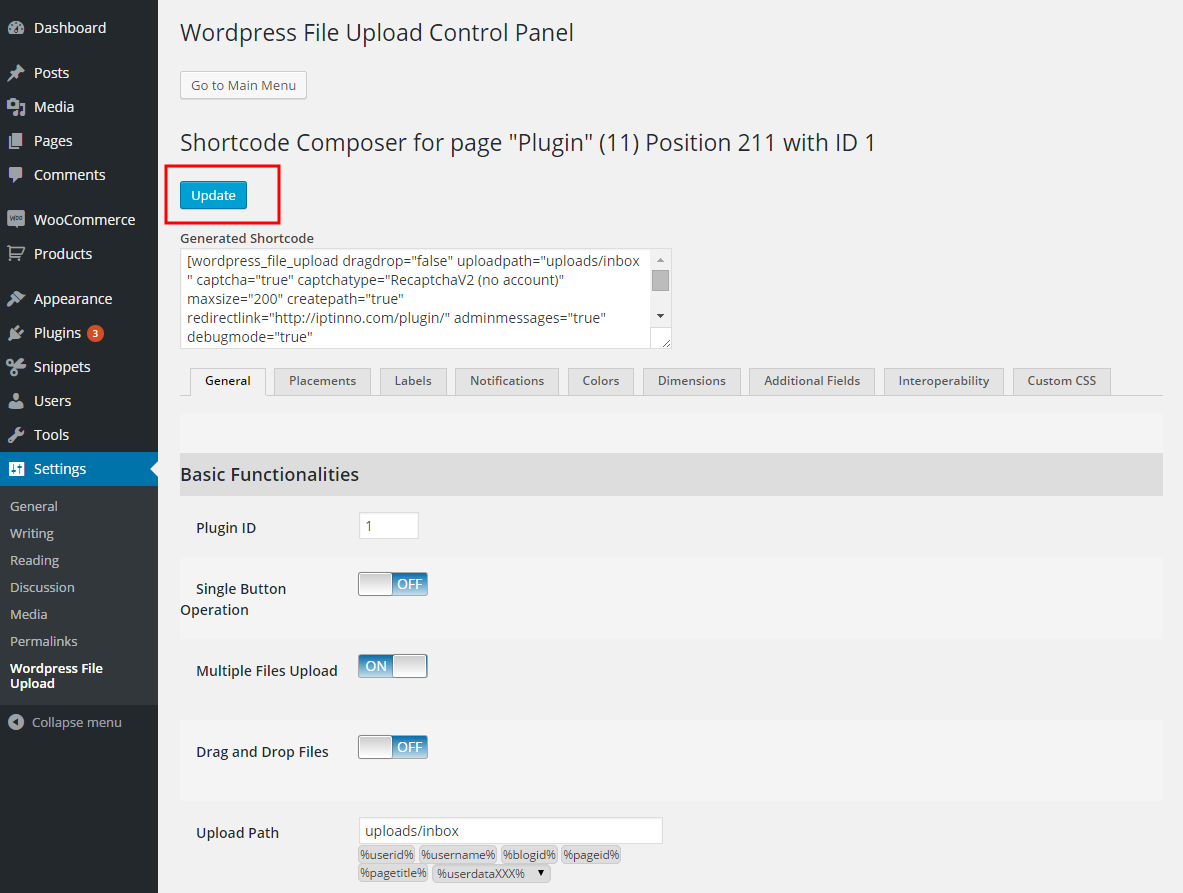
- Press Update. Nothing is applied to the upload form until you do.
From the page or post
- Open the page or post holding the upload form in your browser.
- Hover over the form. A yellow pencil appears in its top-left corner:
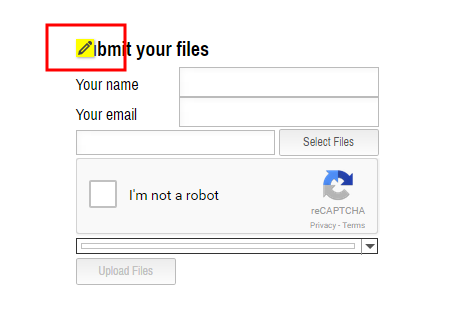
- Click the pencil. The Shortcode Composer opens in a new tab or window — if nothing happens, allow pop-ups for the site in your browser.
- Make your changes and press Update. The page holding the form reloads to show them.
- Carry on editing, or close the composer.
If you have further questions, please contact us.
The Iptanus team
Is there an easy way to style the buttons? I just want to change the color and the font. Thanks!
Hi, it requires some css code, I can help you with this, what is the URL of the page and what exactly do you want to do?
Regards
Nickolas
Hi Nickolas, me too. I need to style buttons on this page: https://www.erressearredi.com/allega-planimetria/
both “Scegli files” -> Choose files and “Carica files” which means Upload files.
I tried several css codes but it don’t work. Which class or id I have to use in order to do it?
I need to style button and button:hover.
Thank you
Hi There! Great plugin…i’m all set-up, but can’t see anywhere to turn on an email notification for an admin email address when a new file has been uploaded.
Is this possible on the free version? Where should I be looking for this feature?
Many Thanks,
Richard
Hi, yes it is, open the visual editor of the shortcode, go to Notifications tab and configure email notification.
Regards
Nickolas
Got it, thanks! This article was also helpful – https://www.iptanus.com/email-notifications-with-iptanus-file-upload-plugin/.
Cheers,
Richard
Hi Nickolas
I read in an earlier response that support for uploads to Google Drive was being worked on. Just wondering if you can give any indication as to whether an update with this feature is likely to be released soon? It would make the Pro version perfect for our organisation’s needs.
Thanks
Esther
Hi, unfortunately Google Drive support will delay some weeks, because I am working on GDPR compliance of the plugin which is more urgent. I will let you know when it is implemented.
Regards
Nickolas