
This article explains how to resolve the “Upload Failed! File not allowed.” error when uploading files with the Iptanus File Upload plugin.
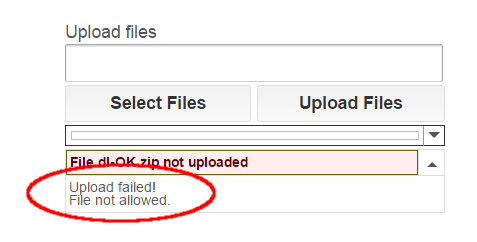
The error means the file was rejected because either its extension or its filename was not allowed. Here is what to check.
Check the file extension
Start by checking the file extension, following the instructions in the Allowed File Types of Iptanus File Upload Plugin article.
Check the filename
If the extension is fine but the error persists for some files, check the filename next. Files whose names contain more than one dot — for example myfile.1.jpg — are not allowed by default, to protect the site from double extension attacks. This behaviour is controlled by the Wildcard Asterisk Mode setting, in the Advanced tab of the plugin’s page in the Dashboard. To lift the restriction on dots, set it to loose.

Why the policy is strict
Iptanus File Upload applies a strict policy to the names and types of uploaded files. It is one of the plugin’s security measures, and it exists to protect the site against hacking attempts. There is a detailed description in the Iptanus File Upload Security article.
If you have any questions, or need further help, please contact us.
The Iptanus team
hi,
at this page
https://trumpingtonallotments.org/committee-uploads/
i use with free version of plugin:
[wordpress_file_upload uploadpath=”../uploads/meetings” uploadpatterns=”*.pdf,*.txt,*.rtf” adminmessages=”true”]
This is in a Shortcode block of Gutenberg editor.
I experience two problems:
1. .txt and .rtf files get rejected with message (example):
File agenda.rtf not uploaded
Upload failed!
File not allowed.
However .pdf files are uploaded successfully.
I have checked (as you describe above) that .txt and .rtf are allowed. My filenames are not unusual e.g. agenda.rtf .
2. An uploaded .pdf file appears in ../uploads , not ../uploads/meetings as I specified.
Both these directories have permissions 755 on the target location.
I would be grateful for any hints to allow .txt .rtf and to allow the target subdirectory.
Hi, you have set (..) in uploadpath. This means that files will be uploaded in folder /uploads/meetings, relative the root of your website and not inside /wp-content folder.
I do not see a reason why txt and rtf files are rejected. Do they contain any dot characters (.) in their filename? If not, try to simplify the shortcode by removing uploadpatterns attribute. Do they still fail?
Regards
Nickolas
1. I’m using OceanWP theme. I’ve added below to the very bottom of the functions.php file in the theme folder.
global $wfu_extension_blacklist;
if ( isset($wfu_extension_blacklist[“stl”]) ) unset($wfu_extension_blacklist[“stl”]);
2. I’ve set Allowed File Extensions to: *.*, *.slc, *.stl
I’m able to upload .jpg and .slc files, but not .stl file. There is only one . in the filename.
I can’t figure out what the problem is. Can you please help?
Also, how can I make “multiple line text field” much bigger?
Thanks a lot!!
Hi, by default the plugin is configured to reject files containing dots in the filename, in order to avoid double extensions. In order to change this behaviour, add the following line in functions.php:
if ( isset($GLOBALS[“WFU_GLOBALS”][“WFU_WILDCARD_ASTERISK_MODE”]) ) $GLOBALS[“WFU_GLOBALS”][“WFU_WILDCARD_ASTERISK_MODE”][3] = “loose”;
Regarding the field size, I need to see the page. Please send me an email at nickboss@iptanus.com
Regards
Nickolas
Hi Nickolas,
I am suddenly getting the File Not Allowed error for all file formats. Have removed all formats from the Allowed File Extensions, but still getting the error: File not allowed. It was working fine till 2 days ago. Any idea what could be the issue?
Thanks,
Viksit
Hi, what is the shortcode?
Regards
Nickolas