

The Iptanus File Upload plugin carries a visual editor called the Shortcode Composer. It lets you configure an upload form without writing shortcodes by hand — which matters, because the plugin has more than fifty options.
Once the plugin is installed and added to a page or post, as described in the getting started guide, there are two ways to open the composer for that upload form.
From the Dashboard
- Go to Dashboard → Settings → Iptanus File Upload.
- Find the Plugin Instances table, which lists the upload form you added:

- Click Plugin 1 to open the Shortcode Composer.
- The composer groups the options into tabs. Some are simply on or off; others take text, a choice from a list, a colour, and so on. The shortcode itself is shown at the top of the page and updates as you go:
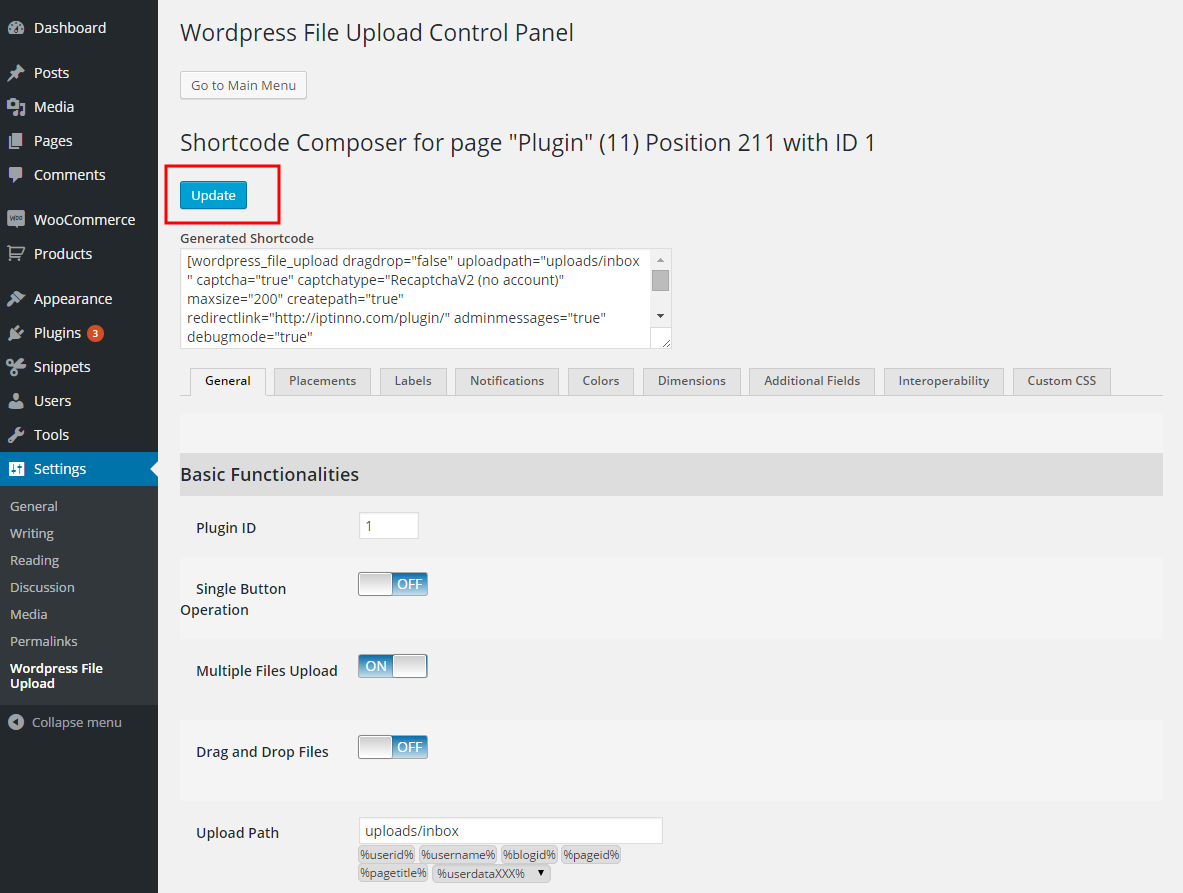
- Press Update. Nothing is applied to the upload form until you do.
From the page or post
- Open the page or post holding the upload form in your browser.
- Hover over the form. A yellow pencil appears in its top-left corner:
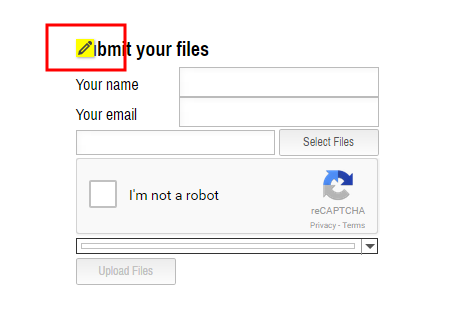
- Click the pencil. The Shortcode Composer opens in a new tab or window — if nothing happens, allow pop-ups for the site in your browser.
- Make your changes and press Update. The page holding the form reloads to show them.
- Carry on editing, or close the composer.
If you have further questions, please contact us.
The Iptanus team
Hi Great plugin…i’m all set-up, but can’t see the update button at the WordPress File Upload Control Panel
Is there any solution?
Don
Hi, just answered to your email. Please check for any Javascript errors on the page.
Regards
Nickolas
hello, i installed the plugin, put the shortcode in the page.
i can open the browser to select the file, but after selected, nothing chosen and no file name appear, so no upload button activate.
please help~thanks
Hi, can I see the upload form? What is the URL of the page?
Regards
Nickolas
Hello,
I am having an issue with how the form is appearing on the page. The response boxes are overlapping with the text. Is there a way I can correct this?
I’m having the same problem, wondering what to do as well!
Hi, can you send me the URL of the page to check?
Regards
Nickolas