

The Iptanus File Upload plugin carries a visual editor called the Shortcode Composer. It lets you configure an upload form without writing shortcodes by hand — which matters, because the plugin has more than fifty options.
Once the plugin is installed and added to a page or post, as described in the getting started guide, there are two ways to open the composer for that upload form.
From the Dashboard
- Go to Dashboard → Settings → Iptanus File Upload.
- Find the Plugin Instances table, which lists the upload form you added:

- Click Plugin 1 to open the Shortcode Composer.
- The composer groups the options into tabs. Some are simply on or off; others take text, a choice from a list, a colour, and so on. The shortcode itself is shown at the top of the page and updates as you go:
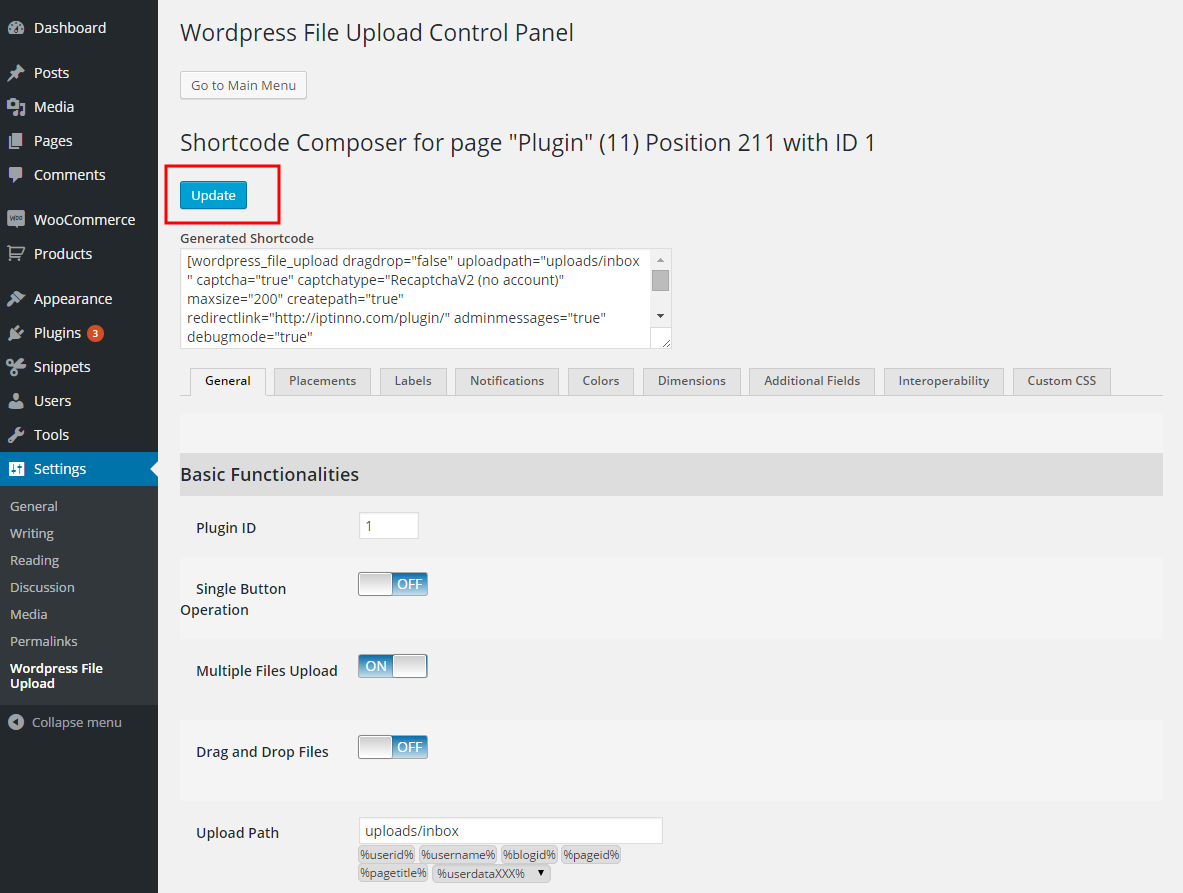
- Press Update. Nothing is applied to the upload form until you do.
From the page or post
- Open the page or post holding the upload form in your browser.
- Hover over the form. A yellow pencil appears in its top-left corner:
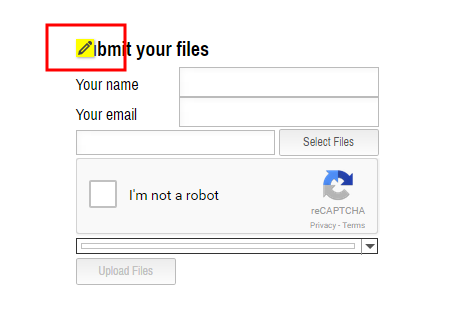
- Click the pencil. The Shortcode Composer opens in a new tab or window — if nothing happens, allow pop-ups for the site in your browser.
- Make your changes and press Update. The page holding the form reloads to show them.
- Carry on editing, or close the composer.
If you have further questions, please contact us.
The Iptanus team
ps. I’m happy to purchase the PRO version, but I want to be sure the free version will meet my needs before doing so.
Please help me to be able to purchase your plugin.
Thanks!
Hello,
This plugin looks like the thing I need, but I’m having a problem with file size. Using the free version, I can only upload 12Mb files (or less). I think this is a limitation of my hosting server, but I’d like to know how to get up to 50Mb files uploaded. Any suggestions?
I see the pro version is unlimited, how does the plug-in achieve this? I presume I’ll have the same problems with on Pro, as I have with Free?
Server upload limitations can some times be modified using some php directives, like upload_max_filesize, post_max_size, max_input_time and max_execution_time.
Nevertheless, the Pro version of the plugin does not have any restrictions. It uses a technique called “file chunking” to upload the files. It actually splits the file in many small pieces (chunks) in the user’s browser, uploads them one-by-one and re-assembles them on the server. So, it surpasses web server restrictions. Even if a chunk fails to upload, the plugin will re-upload it automatically. So, it is able to upload files of unlimited size. It has been tested with files over 10GB. File chunking is a technique used by most cloud services (like Google Drive, Dropbox etc.).
Regards
Nickolas
I trying to upload video to my page i brought the pro but still is not working help
Hi, can you please provide more details about the error?
Regards
Nickolas