

Since version 3.5.0, the Iptanus File Upload plugin can send uploads to Dropbox. Files that your visitors upload are transferred to a Dropbox account of your choosing.
Connecting a Dropbox account
First you need to name the account and give the plugin access to it. Open the plugin’s Settings in the Dashboard:

The Dropbox Uploads option shows as not activated, with a Press here button beside it. Pressing it opens a new page telling you that “Iptanus File Upload Plugin would like access to the files and folders in your Dropbox“. If you are not signed in to Dropbox, you are asked to sign in first.
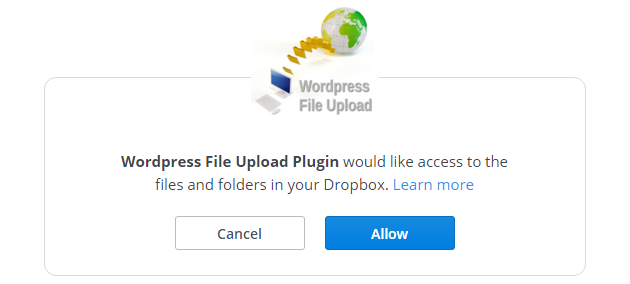
Press Allow. The next screen shows a code:

Copy that code into the text box of the Dropbox Uploads option in the plugin’s Settings:

Press Finish. The option now reads “Activated”:

Sending a form’s uploads to Dropbox
Add the attribute dropbox=”true” to the plugin’s shortcode. If you prefer the Shortcode Composer, open the Interoperability tab and switch on Upload to Dropbox:

The two further options
- The destination folder — the dropboxpath attribute, or Dropbox Path in the composer. A folder that does not exist yet is created when the first file arrives. With no path set, files go to the root of the account.
- The local copy — the dropboxlocal attribute, set to “delete” or “keep”, or Local File Action in the composer. It decides whether the file stays on your own server once it has been transferred.
Once Dropbox uploads are switched on, every file uploaded through the plugin is transferred to the account you connected.
If you have questions, problems or suggestions, please contact us.
The Iptanus team
Same problem. “Press Here” does nothing. I’ve not installed any other plugins/widgets that use Dropbox.
Hi, is your web server 32 or 64bit? You can see this at the plugin’s main page in Dashboard.
32bit
unfortunately Dropbox API does not work for 32bit systems, this is a restriction from Dropbox because 32bit servers cannot handle files larger than 2GB, what you can do is ask your host to upgrade your system to 64bit
Is it possible to have files upload to different folders within Dropbox based on a dropdown selection when submitting the file?
Say I had Drobox folders labelled “Joe,” “Bob,” and “Sally.”
Could I let people choose which Dropbox folder they uploaded to?
My Dropbox uploads have stopped working, I’ve reactivated the plugin connection but files are not being sent