

The Iptanus File Upload plugin does not only upload files; it also displays them. There are two ways to show what has been uploaded: in the Dashboard, for logged-in users, and on a page or post, for anyone.
The Dashboard file viewer
The Dashboard file viewer lets logged-in users see and manage the files they have uploaded, from Dashboard → Iptanus File Upload:

To open this screen up to your users, set their permissions in the plugin’s Settings. View, download, edit and delete permissions can be set for each role, and for individual users:
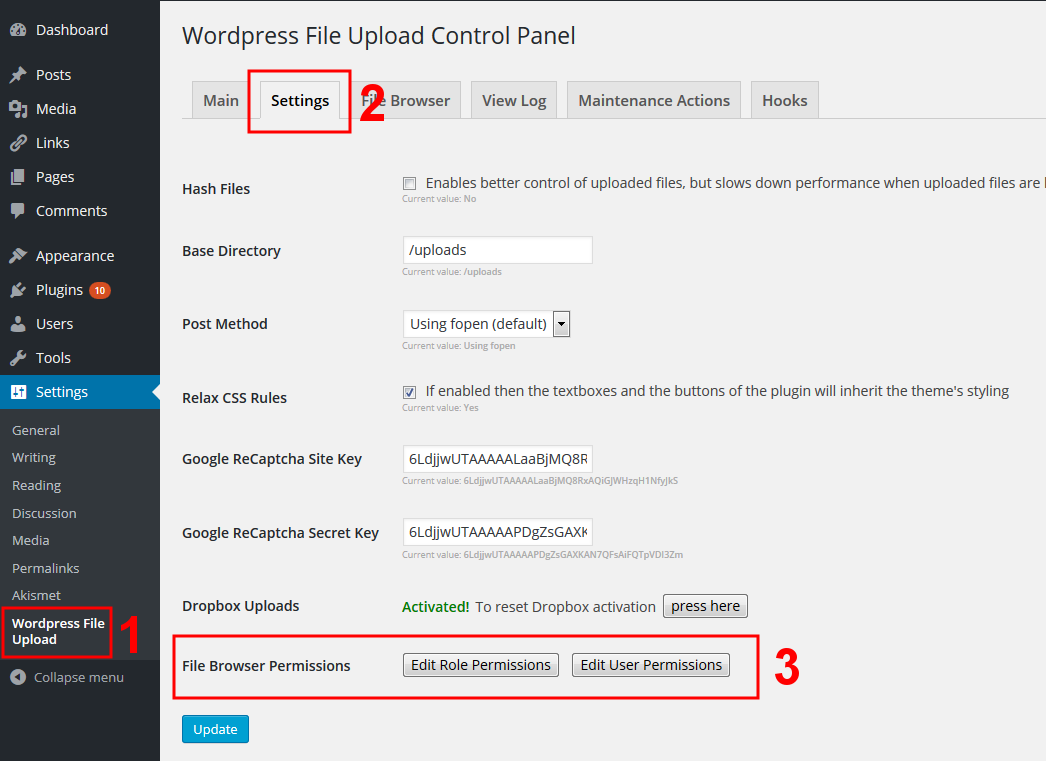

This viewer works for logged-in users only, and each user sees only their own files.
The front-end file viewer
The front-end file viewer shows uploaded files to any visitor, logged in or not:
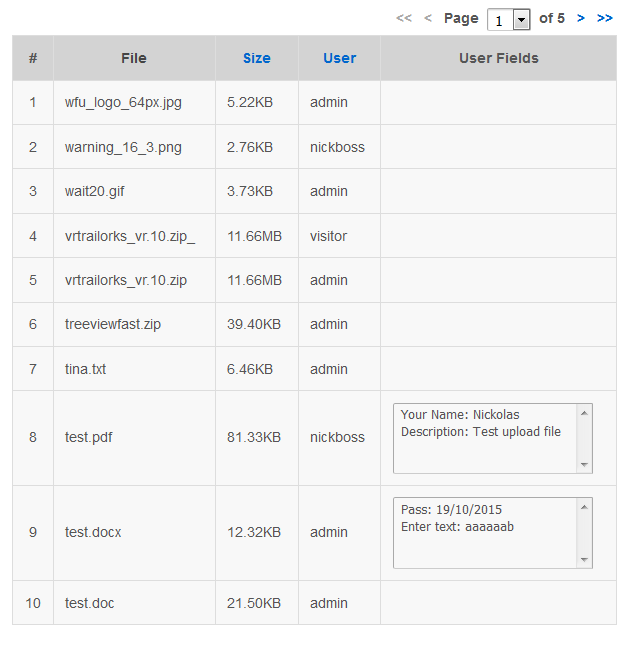
It can be added to any page or post, either by typing the [wordpress_file_upload_browser] shortcode into the contents, or by opening the plugin’s Main page in the Dashboard and adding a new Uploaded File List Instance:

What you can configure
The front-end viewer has a wide set of options: which roles and users may see the list, which files appear in it, what actions are allowed, what information is shown, and what the column headings say.
You can set these by hand, as attributes inside the shortcode — the full list is in the File List Attributes section of the plugin’s support page. The easier way is the shortcode composer:

The front-end viewer carries minimal styling of its own, so that it inherits your theme’s. Its elements do have their own CSS classes, so you can restyle any part of it.
If you have questions or need further information, please contact us.
The Iptanus team
Hi is it possible for the user to see a list of the files that he uploaded on the same page that he uploaded it on?
the short code does not work
Hi, can you please provide more details about the problem?
Regards
Nickolas
Hi, yes this can be done with the Professional version of the plugin that provides a file viewer for this purpose. The file viewer can be placed in any page or post, even together with the upload form (in this case when a file is uploaded the file viewer is updated automatically).
Regards
Nickolas
Hi team,
This is a great plugin for what it is intended for. Thank you for making it available. I suggest you add few more installation screenshots. For instance it would be great to show a screen after an actual doc is uploaded. Another showing how a doc viewing page should look like, example a file link or icon to click on to view the document. Thank you!
Thanks Basile for your suggestions.
Regards
Nickolas
With this plugin are we able to put uploads in categories, so that when displaying you can restrict users from accessing other documents by grouping them into categories