
This is a significant version release because in continuation of the previous major version 3 release it includes file browsing capabilities for all users, depending of course on administrator selection. This version introduces a new shortcode, [wordpress_file_upload_browser], which when added in a page or post, displays a list of uploaded files for the current user, as shown below:
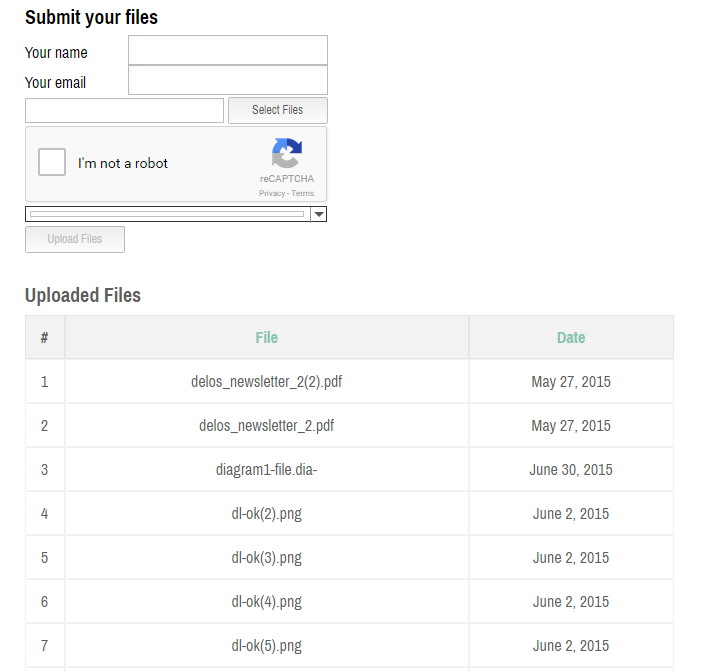
The new shortcode comes with many options, so that administrators can:
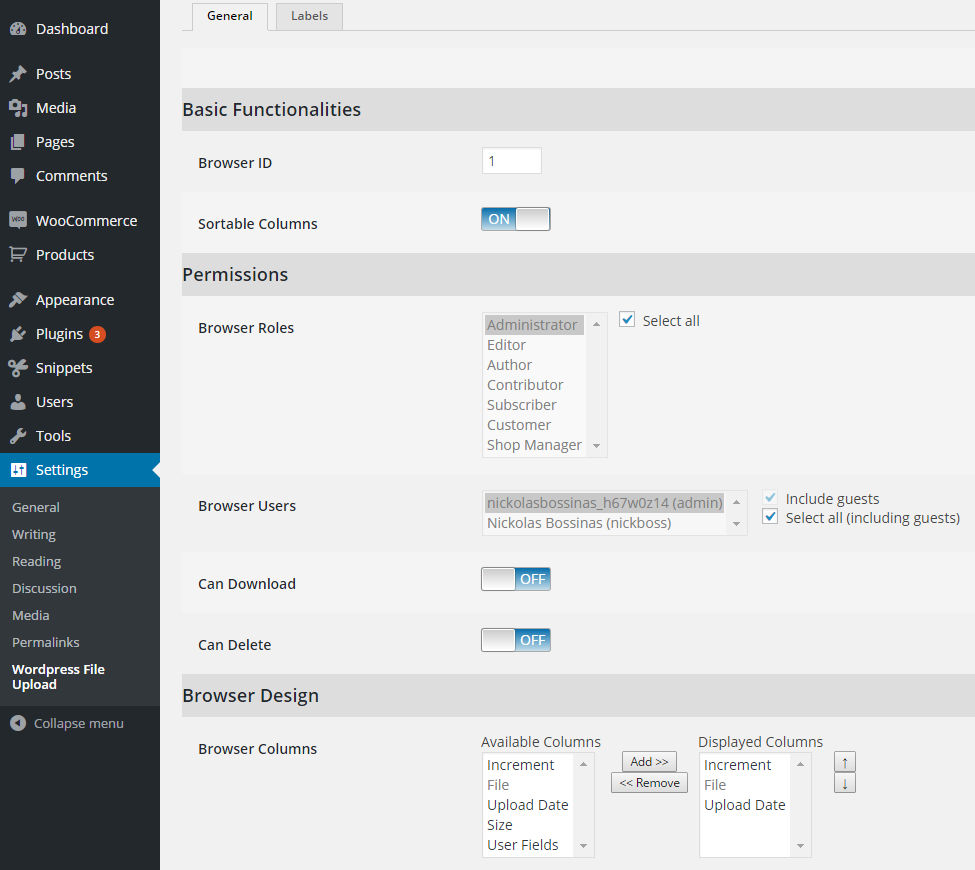
- define which users and user roles are allowed to view the file list
- define which columns will be shown in the file list and their order
- define if users are allowed to download and/or delete their uploaded files
- define if the file list is sortable
- define titles of the columns of the file list
Of course, the new shortcode can be edited easily using the Shortcode Composer, as happens with the basic uploader shortcode:
Moreover, this version incorporates some minor bug fixes. Please note that this article has been updated to mention also version 3.1.1, which only contains some minor fixes of version 3.1.0.
You can view a detailed list of the attributes of the new shortcode in the plugin’s support page in File List Attributes section.
Users who have purchased the Professional version of the plugin can download the latest one by logging into their Iptanus account, selecting the order and downloading the new file.
Users of the Free version can update to the latest one using the Update feature of the Plugins section of their Dashboard.
The Iptanus team keeps working to make WordPress File Upload easier to use and freer of bugs, and will go on issuing new releases. Professional licences are one-off, and their updates never expire.
For any questions, or to report a bug, please contact us.
The Iptanus team
Ask a question
Answered by Iptanus, usually within a working day.